A second Kaspersky investigation identified 26 fake crypto-wallet apps in Apple’s App Store that impersonated MetaMask, Ledger, and Trust Wallet. Some applications appeared to be unrelated tools, such as calculators, games, and to-do apps. Once opened, some applications redirected users to browser pages resembling the App Store, where trojanized versions of legitimate wallets were distributed.
Android also appeared in the FakeWallet investigation. Researchers found compromised wallet versions distributed through phishing websites, but no evidence of those samples in Google Play. This campaign used external downloads, while SparkCat reached an official store.
Android users face additional risks when installing applications from outside Google Play, where they may have fewer safeguards against malicious downloads. A wallet APK downloaded from a fake project website or messaging group may lack store screening. Criminals can imitate a legitimate wallet and ask users to import a recovery phrase. Once disclosed, attackers can use that phrase to take control of the funds.
iPhone Exploits Expose Crypto Data
Google Threat Intelligence reported in March that Coruna contained five iOS exploit chains and 23 exploits, targeting versions 13.0 through 17.2.1. Researchers traced its use in targeted operations. Coruna shows how outdated iPhones can face browser-based exploitation without users installing fake wallets. Google’s Coruna analysis urges users to update iOS and enable Lockdown Mode when updates are unavailable.
Google’s March 19 report on DarkSword described an iOS exploit using six vulnerabilities against versions 18.4 through 18.7. Campaigns targeted users in Saudi Arabia, Turkey, Malaysia, and Ukraine. One resulting malware family, GHOSTBLADE, could collect cryptocurrency wallet data alongside messages, photos, and account details. Google said all the vulnerabilities had been patched by iOS 26.3, although most were fixed in earlier releases.
Apple’s security notice adds another warning. Released September 28, iOS 26.7.1 fixed a CoreGraphics flaw that could allow arbitrary code execution through a malicious file. Apple said it knew of a report linking the flaw to a sophisticated attack on individuals using versions before iOS 27.
Follow us on X for real-time crypto updates.
How the Threat Model Differs Between iPhone and Android
Android’s flexibility is useful for developers and regional access, but it also makes users responsible for checking an app’s publisher, package source, and requested permissions before installation.
Permission abuse adds another concern. An Android app granted powerful accessibility or device-administrator access may see sensitive activity beyond a wallet’s needs. Clipboard monitoring can replace a copied destination address with an attacker’s address. These risks do not make every APK malicious; they make source and permission checks essential.
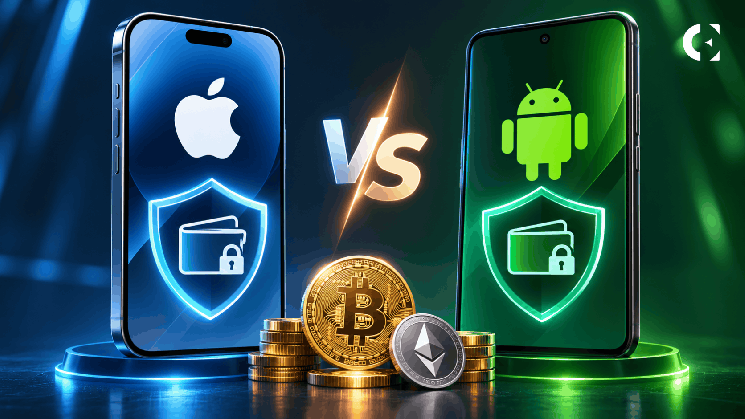
The 2026 investigations highlight the different risks. iPhone users face fake App Store listings, deceptive redirects, and sophisticated iOS exploits. Android users face malicious applications through Google Play and external APK channels, as well as risks associated with sensitive permissions.
What Crypto Users Should Defend Against
iPhone users should download wallets through providers’ official websites, check developer details, and reject unexpected configuration or enterprise profiles. Never enter a hardware-wallet recovery phrase into a phone app. Prompt updates and Lockdown Mode can reduce exposure to sophisticated attacks.
Android users should disable installation from unknown sources, avoid wallet APKs shared through chats or unofficial websites, review accessibility and device administrator permissions, and keep Play Protect and system updates active.
Both groups should keep seed phrases out of screenshots, cloud notes, and photo galleries. For substantial holdings, a hardware wallet should keep private keys separate from the internet-connected phone. Verify the full destination address on the signing device before sending funds.
Which Phone Offers Better Crypto Security?
Both iPhone and Android offer security features that can protect crypto users, but neither platform is immune to threats. iPhone users must keep iOS updated and verify applications before installation, while Android users should also avoid unverified APKs and carefully review app permissions. The 2026 investigations highlight these risks: fake wallet listings appeared in Apple’s App Store, a SparkCat-infected app reached Google Play, and other Android malware spread through external APK channels.
Ultimately, both iPhone and Android users face risks from malicious applications, compromised devices, and sophisticated exploits. The 2026 investigations show that official app stores cannot guarantee that every application is safe, while sideloading introduces additional exposure. Keeping devices updated, verifying wallet applications, and protecting recovery phrases remain essential regardless of the platform.
FAQs
1. Is an iPhone safer than Android for crypto?
For most users, iPhone offers stronger default installation controls. However, fake App Store listings and advanced iOS exploits show that it is not immune. Android can also be secure when users avoid sideloading and maintain updates.
2. Are APK crypto wallets safe to install?
Wallet APKs from unofficial websites and messaging groups carry additional risks. Users should obtain wallet applications through links on the provider’s verified website and confirm that those links lead to the legitimate store listing.
3. Can an application in Apple’s App Store steal a crypto seed phrase?
Yes. SparkCat scanned photo galleries for recovery phrases, while FakeWallet campaigns used malicious wallet applications and developer profiles. Users should never photograph or store recovery phrases in their phone galleries.
4. Does a hardware wallet protect crypto if a phone is compromised?
A hardware wallet keeps private keys separate from the connected phone. However, malicious software may still deceive users into approving transactions. Always verify the recipient address and transaction details on the hardware wallet itself.
Subscribe to our YouTube channel for the latest crypto news.
Related: 10 iPhone Crypto Security Lessons From 2026’s Biggest Wallet Threats

 coinedition.com