
Whatsminer Firmware Updates Explained: Why They Matter and How to Perform Them
Long gone are the days when Bitcoin mining used to be much easier and less competitive. Now, it’s a tough business where efficiency matters. An ASIC miner is no longer a set-and-forget device. It must be kept in tip-top condition so it can compete with thousands of powerful miners for the precious block.
That’s why a timely Whatsminer firmware updates are more important than ever. Mining hardware like this series stands out for its reliability and performance. However, the true potential of any Whatsminer rig is unlocked through ASIC custom firmware like the one here.
Keep reading if you want to understand why firmware updates mustn’t be ignored and what improvements they bring to the table, and learn step-by-step how to safely bring your machine up to date so it can perform at the top of its capability.
Why is it Important to Update Whatsminer Firmware?
The Whatsminer firmware is the embedded software that controls operations, manages power, and communicates with mining pools. Basically, it’s the brain of your miner that handles everything from hashrate efficiency to thermal management.
This brain has to be kept healthy through regular updates, because without them, even the most advanced Whatsminer models are going to underperform eventually. This would result in lost revenue in an industry where every percentage point of efficiency counts.
It’s important to realize that ASIC miner firmware updates are more than routine maintenance. These are measures that address real challenges in cryptocurrency mining operations.
Here’s how you can benefit from performing regular updates:
-
Updates often optimize ASIC algorithms to improve computational output. For instance, a timely Whatsminer upgrade can increase hashrates and reduce power consumption at the same time.
-
Mining rigs are prone to software glitches since they operate around the clock in demanding environments. It may result in downtime, which translates to missed blocks and lower earnings. Firmware patches work by resolving issues like instability of connections to pools, overheating errors, or sudden restarts.
-
With Whatsminer firmware updates, you get the latest protection against cyber threats and vulnerabilities that can compromise your setup.
-
Firmware tweaks can lower power usage without sacrificing performance. This is immensely important and beneficial since electricity is the largest operational expense in Bitcoin mining. Updates can ensure better power limit features or immersion cooling compatibility.
-
Newer firmware options add tools for better monitoring or overclocking options. This is particularly useful for scaling operations, where remote control and analytics become critically important.
Cryptocurrency mining is extremely competitive now, so even small inefficiencies compound over time, resulting in suboptimal performance, higher failure rates, and larger electricity bills. That’s why keeping your firmware fresher than fresh is non-negotiable.
Official vs Custom Firmware: What’s the Difference?
Many miners choose custom firmware over the official one to gain better control and push the ASIC’s efficiency beyond what the manufacturer provides. There’s no denying the fact that MicroBT’s stock firmware offers stability, security patches, and basic features; it prioritizes steady operation over ultra efficiency.
-
Custom firmware, developed by third-party providers like BiXBiT, unlocks advanced capabilities that include:
-
Overclocking and performance improvement through chip autotuning, downvolting options, etc.
-
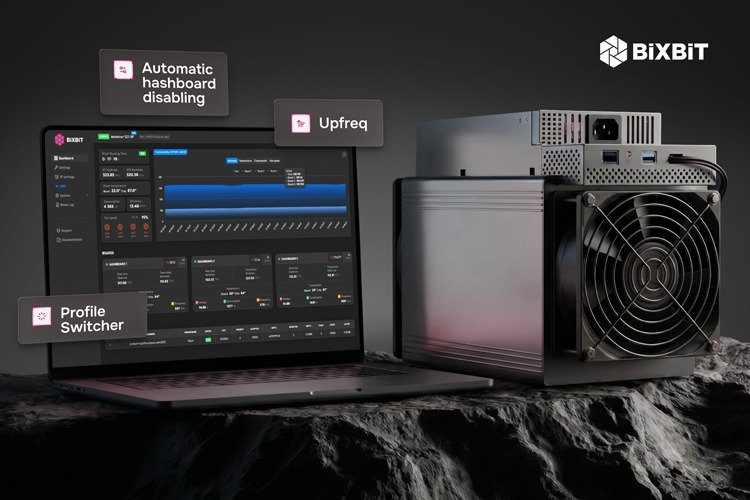
Better efficiency tools like profile switchers, hashrate board disabling, and better integration with monitoring systems.
-
Custom firmware is also more beneficial for large fleets as it provides support for immersion cooling, proxy servers, hotel fees, and remote management to take mining efficiency to the max.
To summarize, stock firmware suits low-maintenance operations, while custom versions are chosen by miners seeking the highest possible profitability through extra tuning.
How to Update Whatsminer Firmware?
The main Whatsminer firmware upgrade method uses the official Whatsminer Tool (WMT). It’s a Windows application from MicroBT. If you are opting for custom firmware like BiXBiT’s optimized version, the process is similar but uses files downloaded from our official website.
Consider these important moments before starting:
-
Always download the firmware from trusted sources;
-
Use a Windows PC on the same local network as your ASICs;
-
Back up your current miner configuration;
-
Ensure miners are stable and free of faults;
-
Don’t turn off the power during a possible temporary reboot.
Once you’ve checked that everything is in order, it’s time to upgrade the Whatsminer firmware. Here’s how to do it step-by-step:
-
Download the required files from the official Whatsminer firmware page or BiXBiT website. If you decide to go with official firmware, get the latest Whatsminer Tool along with the appropriate firmware .bin file for your ASIC model.
-
Run the downloaded tool on your PC, and allow it through Windows Defender. The tool scans your network for connected ASICs.
-
Wait for it to detect miners and verify the control board type if needed through the available interface.
-
Select miners you want to update, click the “Upgrade” button, then select the downloaded .bin firmware file. Confirm the file is correct and click “Start Upgrade.” The tool uploads the file, flashes the firmware, and reboots the ASIC automatically. The process may take up to 10 minutes per device.
-
Wait for the miner to reboot and appear again in the tool. Confirm the firmware version as well as hashrate, temperature, and pool connection.
-
In case the Whatsminer upgrade fails or the miner’s IP is lost, use the SD card method to flash the base system or contact the official support.
This method works for most Whatsminer models, but for immersion or special setups, make sure that the firmware supports it. And remember, in large mining operations, always test on one ASIC first.
Risks Associated with Updating Miner Firmware
Updating Whatsminer firmware can deliver significant benefits, described earlier, but the process isn’t risk-free. It involves writing low-level software directly to the control board, so errors can result in operational disruptions or even mining hardware issues.
Here’s a brief overview of what can go wrong and key precautions to keep in mind:
-
Failed or interrupted updates are the most frequent issue that could happen due to network instability, power fluctuations, or incompatible files. If that occurs, the miner could become unreachable or require a reboot.
-
Using the wrong firmware, a corrupted .bin file, or shutting off the power mid-flash could get your ASIC bricked.
-
Using incompatible firmware can result in boot loops, persistent errors, or decreased efficiency.
-
Users may encounter temporary issues after the update, such as higher temps during hashing or pool connection drops.
To avoid these issues, always download from trusted providers like MicroBT or BiXBiT. Always verify firmware compatibility, ensure stable conditions, backup all previous configurations, and have a solid recovery plan.
However, most updates go smoothly with proper preparation, and the rewards outweigh the risks described here.
Post-Upgrade Checklist
After the Whatsminer firmware update completes, it’s very important to confirm everything is working correctly. A proper update should restore normal operations quickly, without major errors.
Monitor for at least 15 minutes until full stabilization, as ASICs often need warm-up time for hashrate to settle. Also monitor chip temperatures, board temps, and fan speeds. Watch for persistent errors in the Error Codes section of the web interface.
To be absolutely sure, keep an eye on your setup for the first 24 hours after carrying out the Whatminer firmware upgrade, and if everything is fine, you can enjoy the optimized Bitcoin mining.
Conclusion
Bitcoin mining is now more competitive than ever; that’s why keeping your Whatsminer optimized is no longer optional. It’s essential for sustained profitability. Firmware gives even a powerful ASIC a needed efficiency boost with regard to hashrate, power savings, bug fixes, and Whatsminer security.
Whether you are running a small setup or managing thousands of units, proper firmware management always pays off. Don’t let outdated firmware hold your operation back. Stay efficient and keep your Whatsminers running at their best, and turn efficiency into profit.