
How to Trade Futures on KAI Exchange Using USAD

KAI Exchange is a cryptocurrency platform that provides access to perpetual futures through a system powered entirely by its native stablecoin, USAD. Every position, settlement and margin calculation is handled in USAD, creating a consistent and simplified trading environment. This guide explains how the futures system operates and how traders can navigate the platform effectively.
Understanding USAD and KAI Perpetual Futures
USAD is the official stablecoin of KAI Exchange. It is pegged to the value of one US dollar and supported by a transparent reserve structure. The platform uses USAD as the single margin and settlement asset for all futures contracts.
KAI supports perpetual futures, which track the value of cryptocurrencies without requiring traders to own the underlying asset. These contracts do not expire. Positions remain active as long as margin requirements are maintained.
Step 1: Account Setup and Deposits
Registration on KAI.com requires an email or phone number and a secure password. Two factor authentication can be added for additional security. KYC verification is optional for basic use but may be required for higher limits and certain features.
Deposits can be made through:
-
Direct USAD transfer
-
Transfer of cryptocurrencies such as BTC or ETH followed by conversion to USAD
-
Supported fiat on-ramp channels depending on region
Deposits appear in the Spot Wallet.
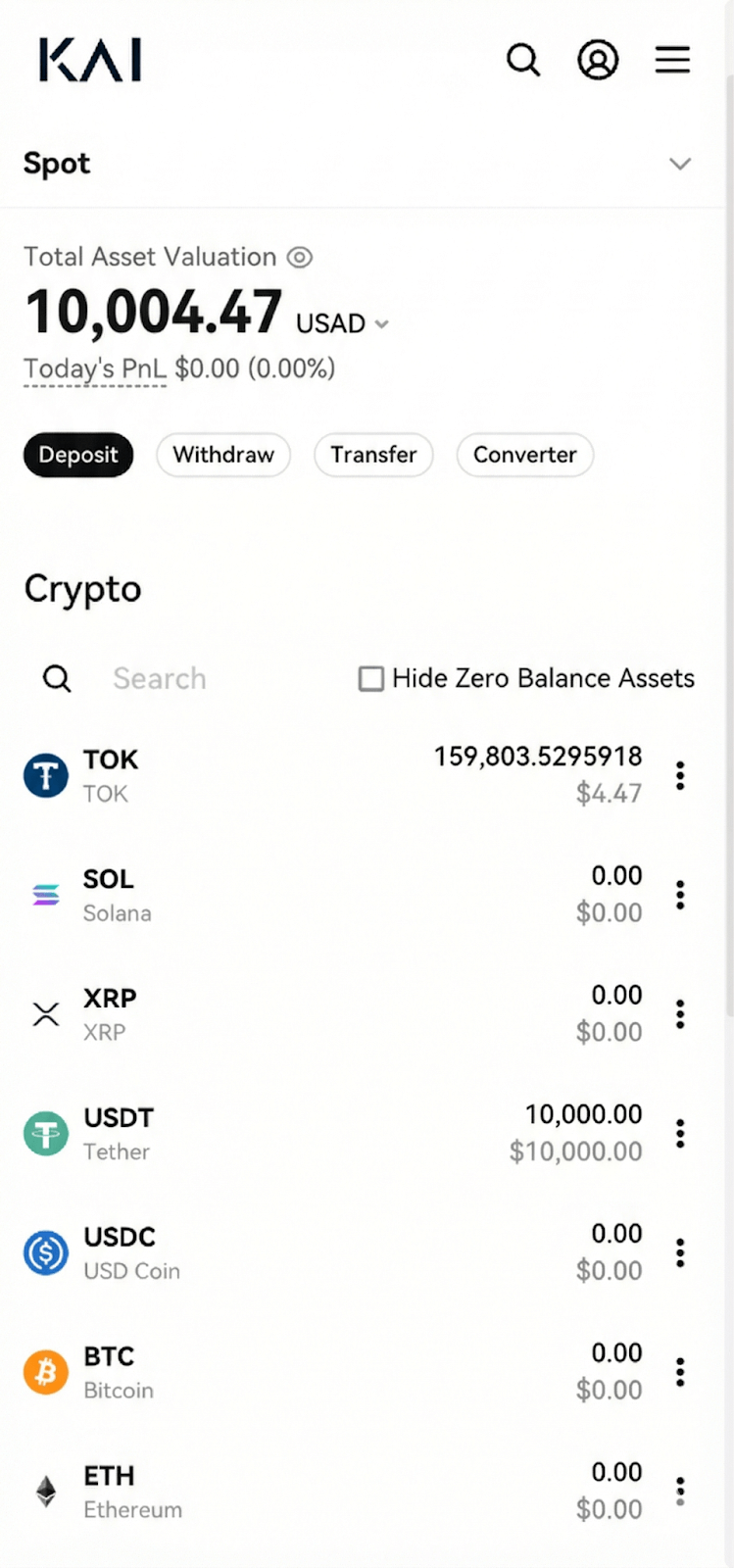
Spot Wallet deposit page
To start trading futures, USAD must be transferred internally to the Futures Wallet.
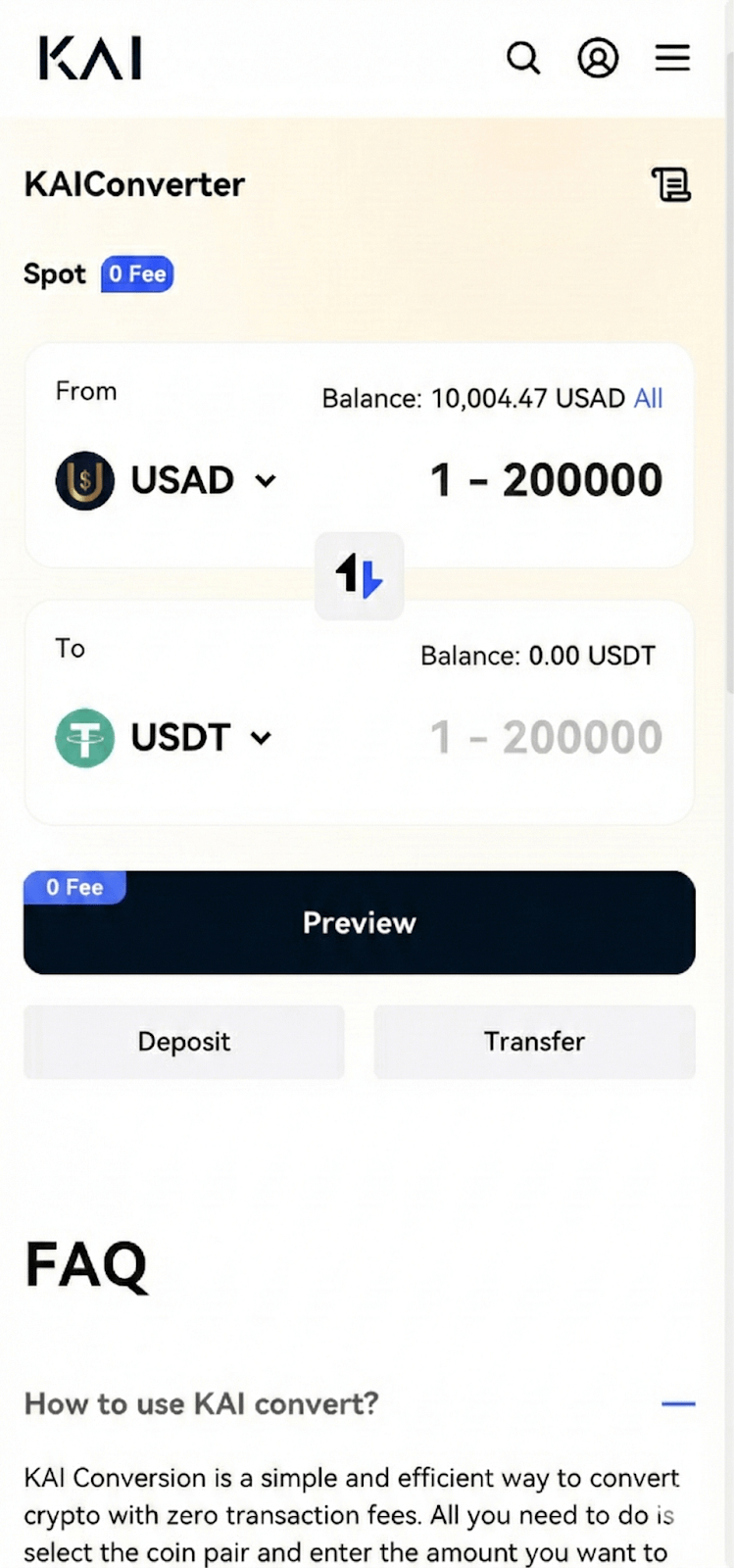
Spot to Futures Wallet transfer panel
Step 2: Opening the Futures Interface
The Futures tab provides access to the trading terminal. The interface displays:
-
Live charts and indicators
-
Order book and trade history
-
Position metrics such as margin ratio and liquidation price
-
Trading panel for order placement
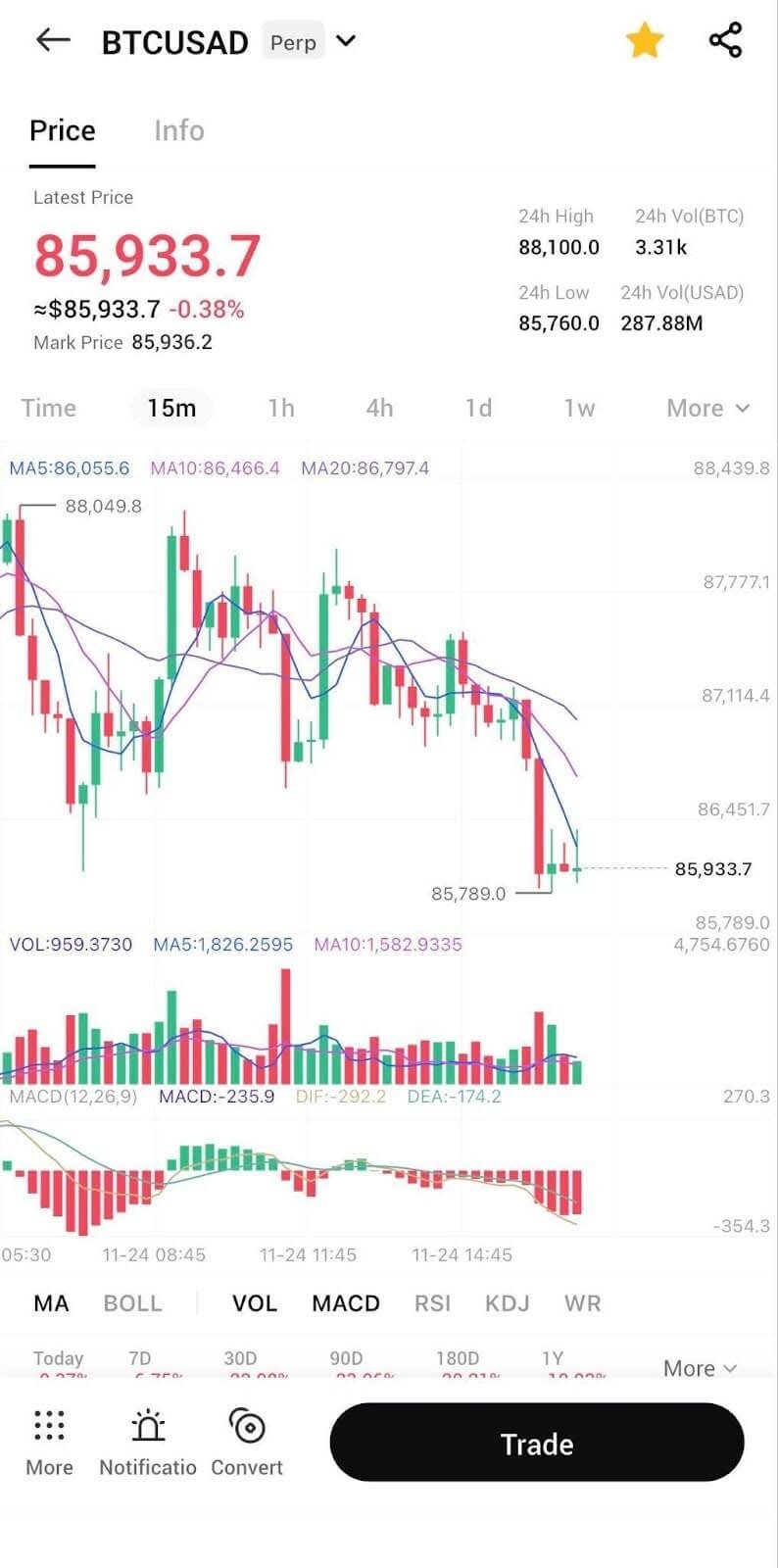
Full Futures interface layout
Contracts such as BTC to USAD and ETH to USAD include clear information on leverage limits and funding rates.
Step 3: Selecting Margin Mode and Leverage
KAI provides two margin systems:
-
Cross Margin, which shares wallet balance across all open positions
-
Isolated Margin, which assigns a fixed margin amount to each trade
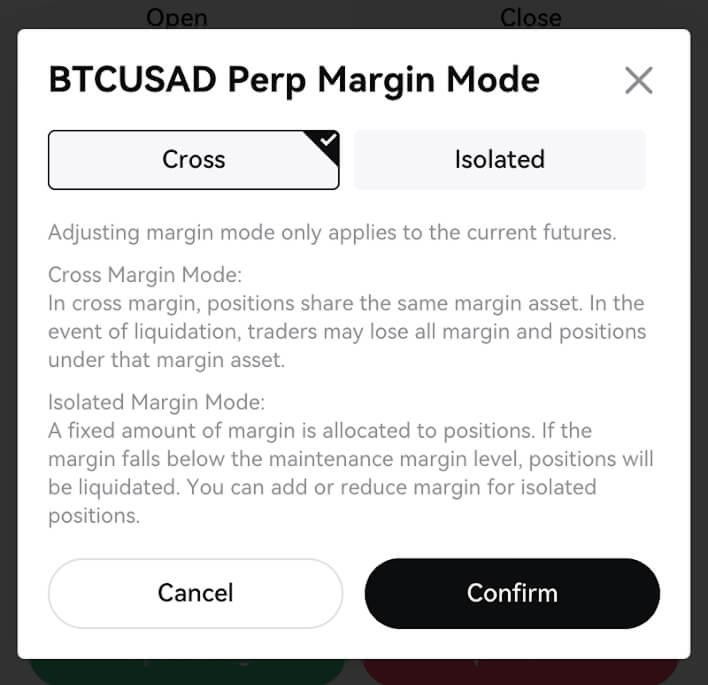
Margin mode toggle
Leverage is chosen before entering a position. Contract specific limits apply. Conservative leverage such as 3x to 5x is commonly used for stable risk control.
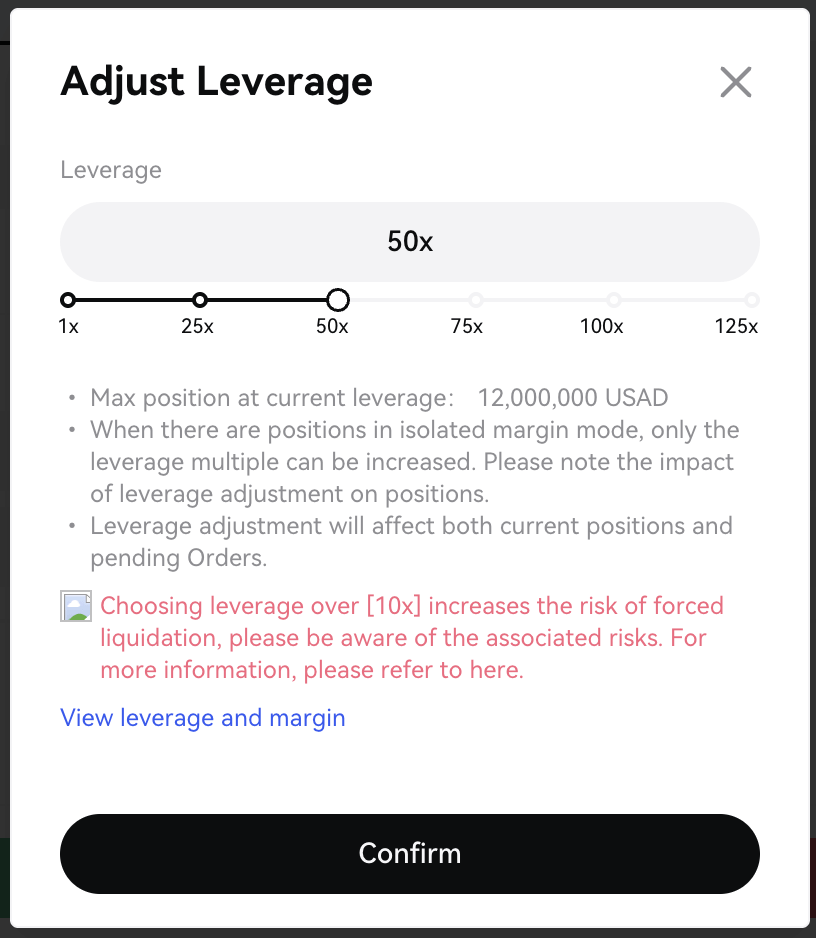
Leverage adjustment slider
Step 4: Placing a Futures Trade
A position can be opened by following these steps:
- Select the trading pair
- Choose order type such as Market, Limit or Trigger
- Select Cross or Isolated margin
- Adjust leverage
- Enter position size in USAD
- Confirm Buy for a long position or Sell for a short position
The active position appears with entry price, margin usage, estimated liquidation level and real time profit or loss.
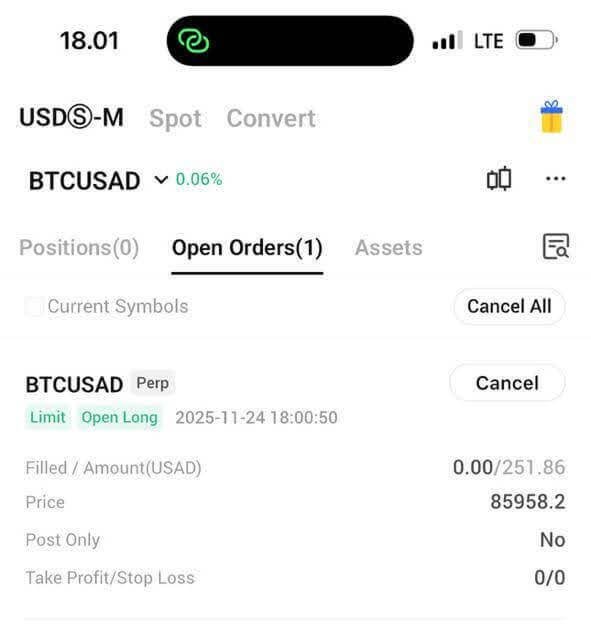
Open position panel
Step 5: Fees, Funding and Liquidation Mechanics
KAI uses a maker taker fee structure. Maker orders that add liquidity to the book have a lower fee. Taker orders that remove liquidity have a slightly higher fee. All fees are paid in USAD.
Perpetual futures include funding fees every eight hours. These payments flow between long and short traders depending on market imbalance. The funding rate is displayed on the contract page.
Liquidation occurs when margin falls below maintenance level. The platform closes the position automatically to prevent further loss. To reduce liquidation risk traders may add USAD, reduce leverage or set protective stop orders.
Step 6: Practical Risk Management
Responsible trading practices include:
-
Using moderate leverage
-
Keeping sufficient free margin
-
Diversifying position sizes
-
Using stop loss and take profit tools
-
Avoiding oversized trades during high volatility
-
Reviewing trading performance regularly
KAI provides clear margin and PnL indicators that make these steps easier to maintain.
A Simple and Unified Trading Environment
KAI Exchange offers a focused trading experience built entirely around USAD. With transparent fees, clean interface design and mobile compatibility, the platform provides a structured environment for trading perpetual futures.
To begin trading, visit KAI.com and register an account. Deposits can be made directly in USAD or converted on platform from other cryptocurrencies. Traders who register using referral code 22JNCB may receive fee reductions or promotional rewards depending on current campaigns.
Sponsored by KAI Exchange
This article is presented by KAI Exchange and is intended for informational purposes only. It does not represent investment advice.